
Outcome
Review and confirm a named path from accepted foreground location fixes.
Before you start
- A Cartowright map open in a mobile browser or narrow editor viewport.
- A secure browser context with location access available.
- A place where you can keep the capture tab in the foreground while walking.
Record a path with your phone, review the accepted location fixes, and confirm only the path and
points you want to keep. Location is used while the foreground capture is active; accepted fixes
remain temporary until you review and confirm them.
Map data: © Mapbox, © OpenStreetMap contributors, © Maxar, Improve this map
Project fixture: documentation-feature-guides
Start from Create
Map data: © Mapbox, © OpenStreetMap contributors, © Maxar, Improve this map
Project fixture: documentation-feature-guides
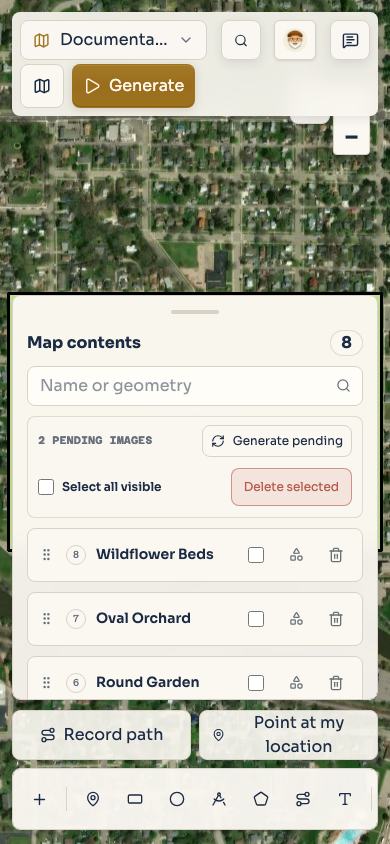
On a mobile-width editor, choose Record path in the Mobile field create actions bar.
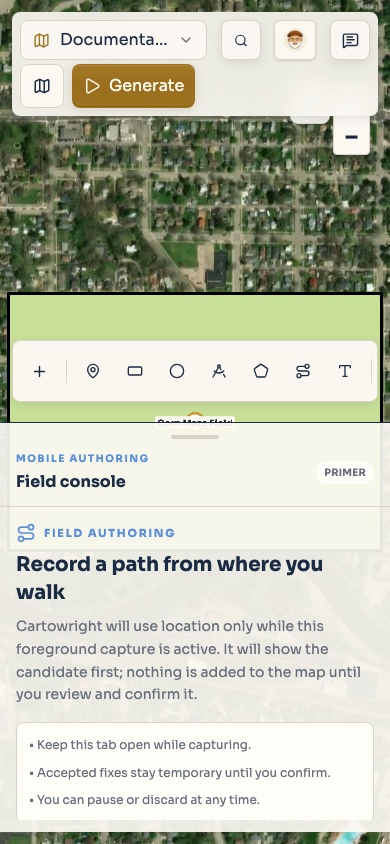
Cartowright first shows a permission primer explaining that the browser will use location only for
this foreground capture. Keep the tab open, then choose Allow location. If the browser is not secure or does not expose device
location, the primer explains that manual point and path tools remain available.
Map data: © Mapbox, © OpenStreetMap contributors, © Maxar, Improve this map
Project fixture: documentation-feature-guides
Watch accuracy and the live trail
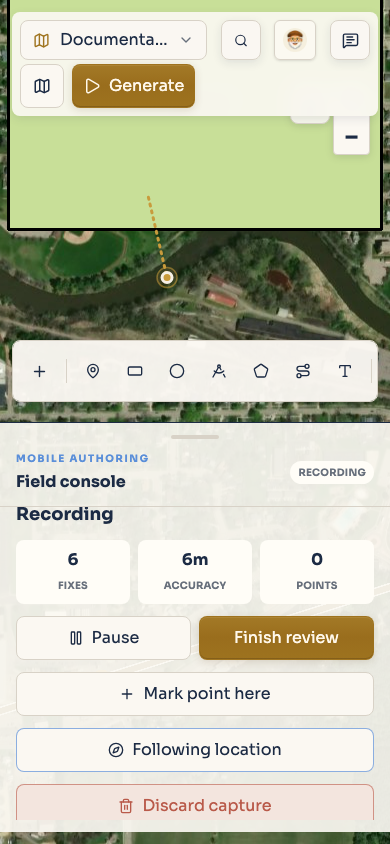
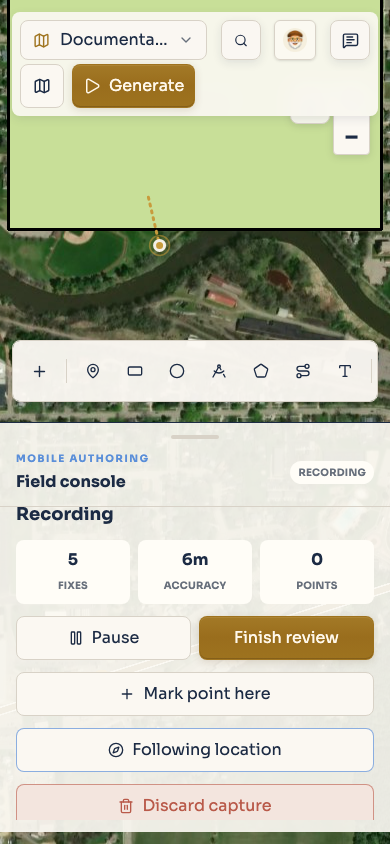
While the capture is active, Cartowright shows the number of accepted Fixes, the latest
Accuracy, and any pending Points. A fix can be rejected as weak, stale, duplicated, too far
from the previous sample, or otherwise unsuitable for the path. Wait for the status to settle before
walking on. The accepted fixes build the live trail; the draft is not yet a saved artifact.
Use Mark point here when a meaningful point should be saved alongside the path. Give that point
its name, kind, and optional note in the point form before saving it to the pending capture.
Pause, resume, and follow
Map data: © Mapbox, © OpenStreetMap contributors, © Maxar, Improve this map
Project fixture: documentation-feature-guides
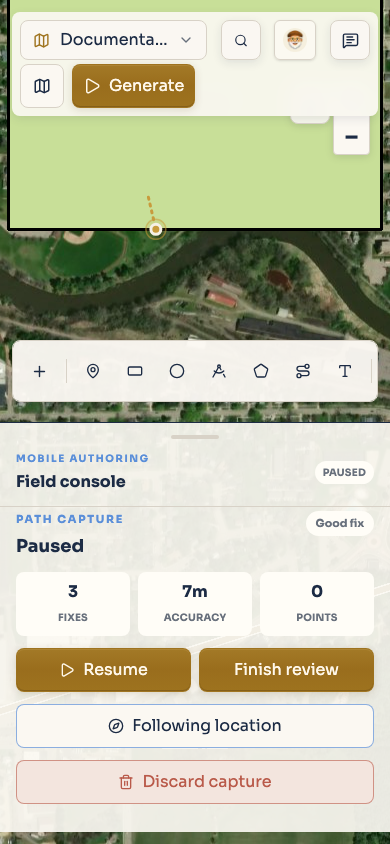
Choose Pause when you stop walking or need to handle an interruption. If the browser or tab
interrupts the foreground session, Cartowright presents a paused or continuity-review state rather
than silently joining an unrelated location jump. Choose Resume to continue after checking the
new fix.
Map data: © Mapbox, © OpenStreetMap contributors, © Maxar, Improve this map
Project fixture: documentation-feature-guides
Follow me controls whether the map keeps the current location in view. It does not make the
location permanent and does not replace the review step. Pause or discard when you are done with the
field portion of the workflow.
Finish the review
Map data: © Mapbox, © OpenStreetMap contributors, © Maxar, Improve this map
Project fixture: documentation-feature-guides
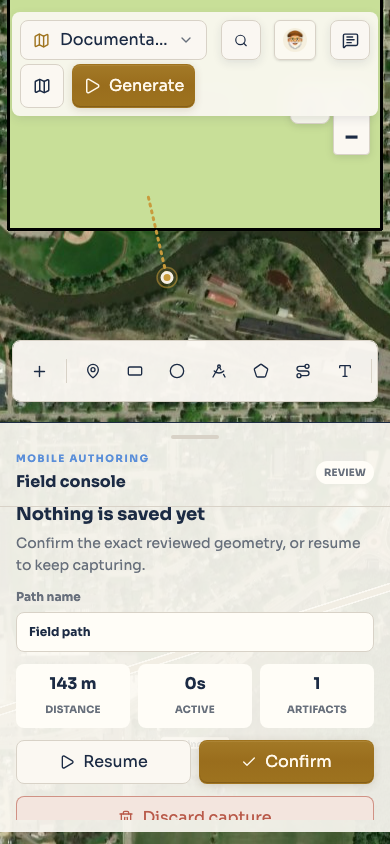
Choose Finish review once the trail contains the path you intend to keep. Review the distance,
active duration, artifact count, path warnings, and any boundary warnings. If the capture is a path,
enter a Path name. The review says Nothing is saved yet until you confirm.
Choose Resume to collect more fixes, or choose Confirm to commit the reviewed path and any
pending points.
Map data: © Mapbox, © OpenStreetMap contributors, © Maxar, Improve this map
Project fixture: documentation-feature-guides
If there is no path but there are pending points, Cartowright can offer Save points only. Use
Discard capture when you do not want to keep the pending work; the second tap confirms the
discard action.
What is and is not retained
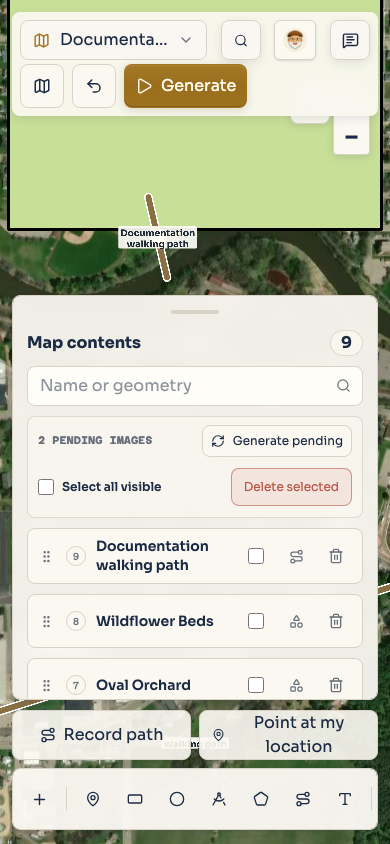
The path and the points you explicitly confirm become ordinary map artifacts. Temporary accepted
fixes, accuracy diagnostics, session interruptions, and the raw browser location stream are part of
the field session rather than canonical project metadata. Cartowright does not treat a device
location as saved merely because the permission primer was accepted.
For manual shapes and keyboard drawing commands, see Add artifacts to a map.